本文基于旧版本环境整理,实际开发时需要结合当前版本调整。
1 环境搭建
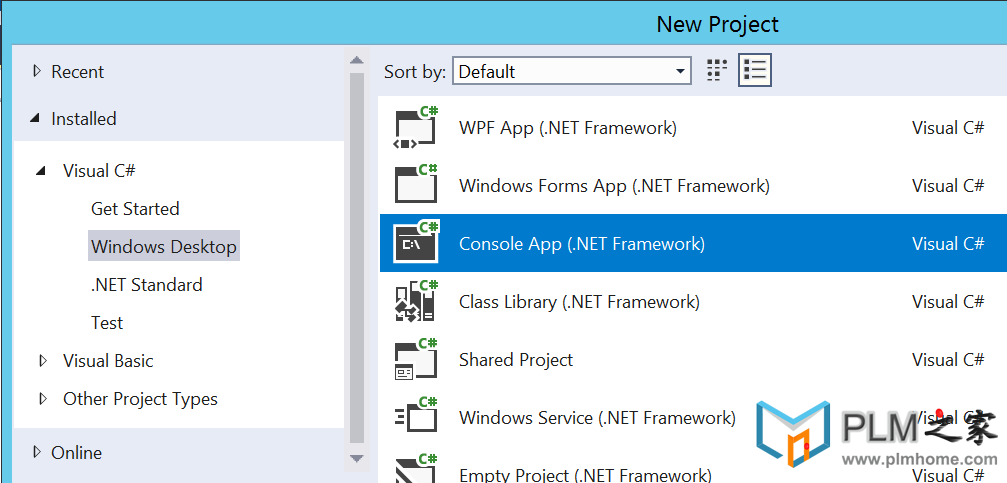
1.1、创建一个控制台程序
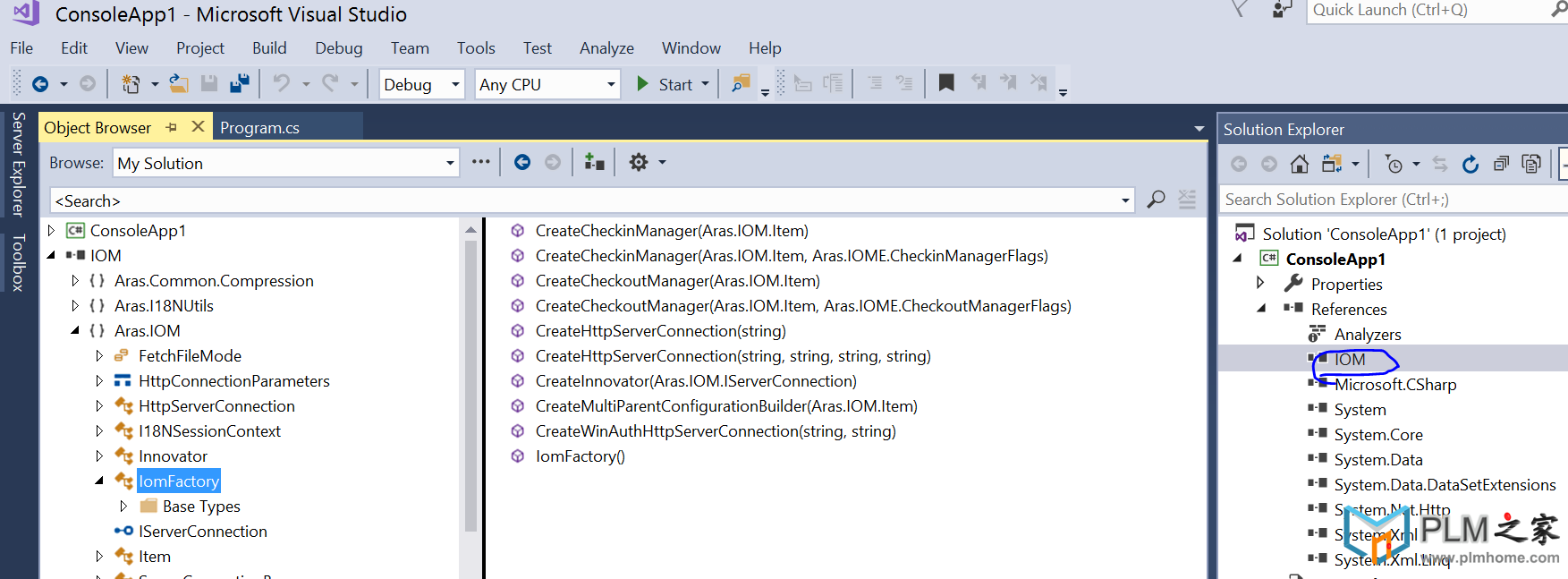
1.2、项目引用中加入 IOM.dll文件,路径在这里 C:\Program Files (x86)\Aras\Innovator\Innovator\Server\bin
2、使用IomFactory创建连接登陆
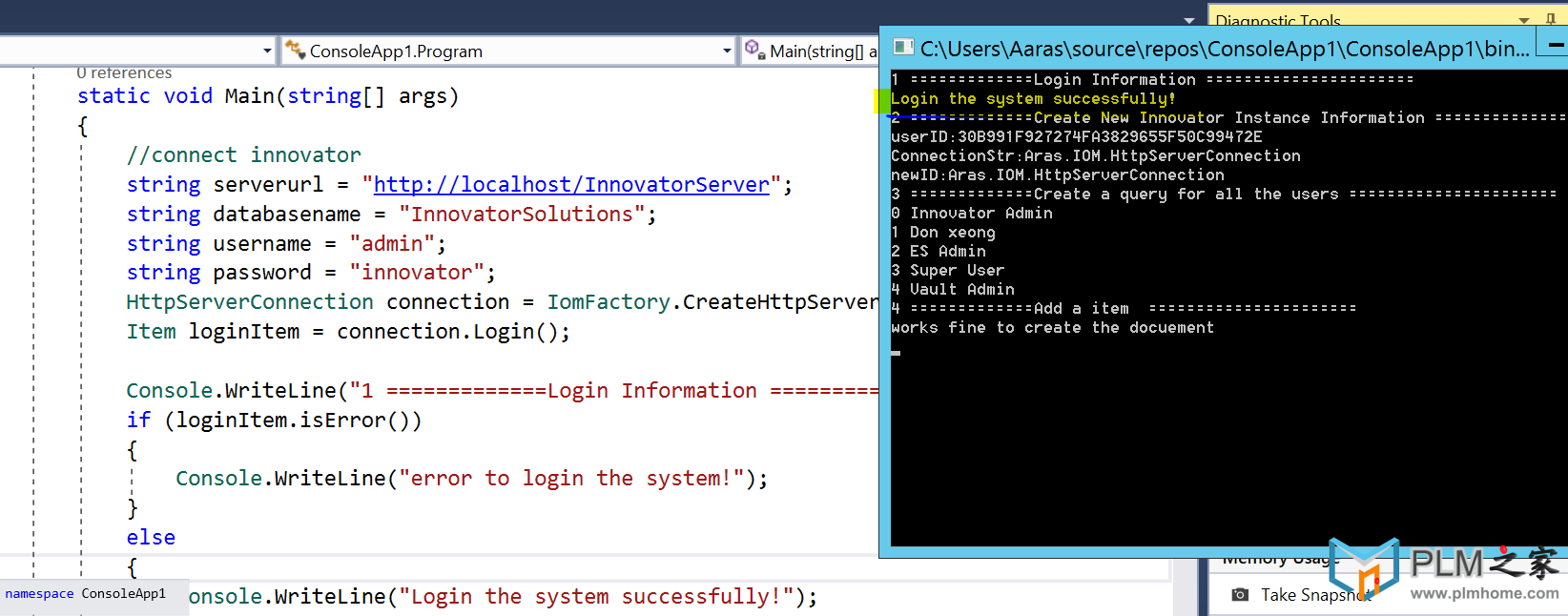
3、创建一个新的innovator实例
4、用户查询
5、创建对象Document
1 环境搭建
- 本人安装的是目前最新版本的 Aras Innovator Version 11.0 SP12 Build: 6920
- 开发环境下载 Microsoft Visual Studio 2017 即可。 使用C#进行开发。
1.1 创建一个控制台程序

1.2 项目引用中加入 IOM.dll文件,路径在这里 C:\Program Files (x86)\Aras\Innovator\Innovator\Server\bin
2. 使用IomFactory创建连接登陆
1
2
3
4
5
6
7
8
9
10
11
12
13
14
15
|
string serverurl = "http://localhost/InnovatorServer";
string databasename = "InnovatorSolutions";
string username = "admin";
string password = "innovator";
HttpServerConnection connection = IomFactory.CreateHttpServerConnection(serverurl, databasename, username, password);
Item loginItem = connection.Login();
Console.WriteLine("1 =============Login Information ======================");
if (loginItem.isError())
{
Console.WriteLine("error to login the system!");
}
else {
Console.WriteLine("Login the system successfully!");
}
|
3. 创建一个新的innovator实例
1
2
3
4
5
6
| Innovator newInnovator = IomFactory.CreateInnovator(connection);
string userId = newInnovator.getUserID();
string geTConnection = newInnovator.getConnection().ToString();
string newID = newInnovator.getNewID();
Console.WriteLine("2 =============Create New Innovator Instance Information ======================");
Console.WriteLine("userID:{0}\nConnectionStr:{1}\nnewID:{1}",userId,getConnection,newID);
|
4. 用户查询
注意: 所有的属性都是小写,空格改成下划线_
1
2
3
4
5
6
7
8
9
10
11
12
| Console.WriteLine("3 =============Create a query for all the users ======================");
Item getUserItem = newInnovator.newItem("User", "get");
getUserItem.setAttribute("select", "first_name,last_name");
Item getUserResult = getUserItem.apply();
for(int i =0;
i <getUserResult.getItemCount();
i++)
{
string userFirstName = getUserResult.getItemByIndex(i).getProperty("first_name");
string userLastName = getUserResult.getItemByIndex(i).getProperty("last_name");
Console.WriteLine("{0}"+ " " + "{1}" + " "+ "{2}", i,userFirstName,userLastName);
}
|
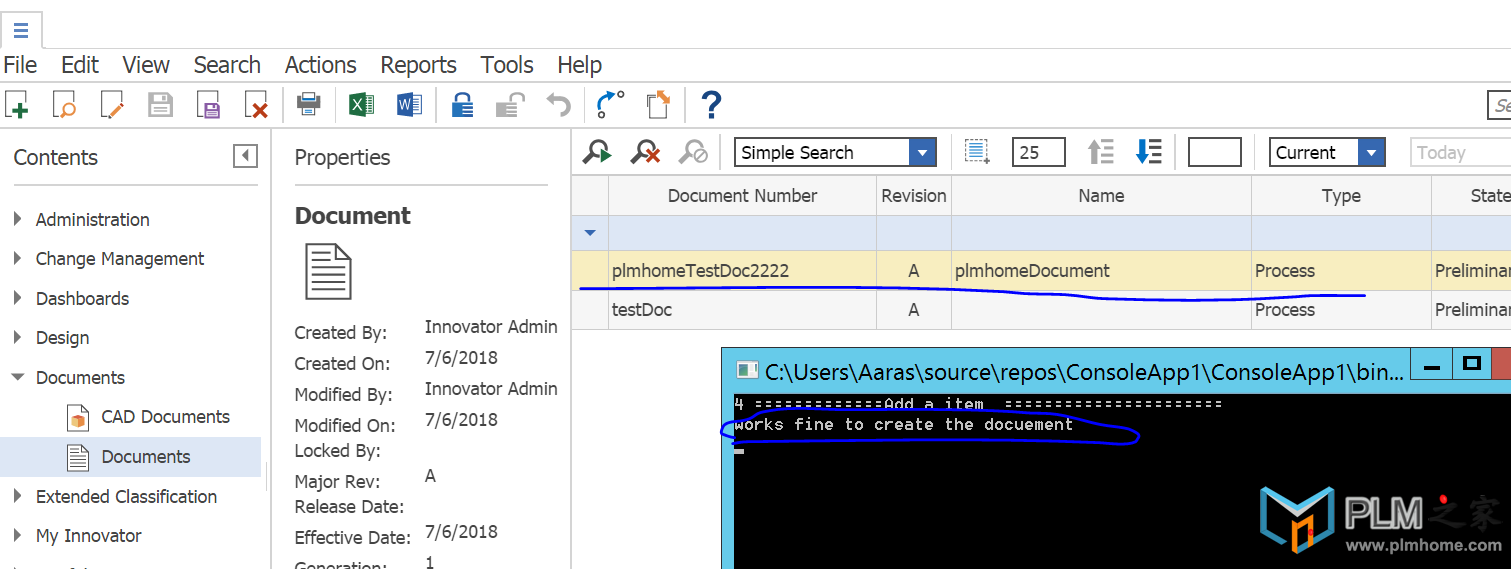
5. 创建对象Document
使用代码创建对象:
可以结合SQL去查询下对应对象的表和字段,set property实际上就是去设置这些值。ok后,apply即可!
1
2
3
4
5
6
7
8
9
10
11
12
13
14
15
16
17
18
| Console.WriteLine("4 =============Add a item ======================");
//we select the information
from sql //select item_number,name,classification,authoring_tool,effective_date
from innovator.DOCUMENT //ITEM_NUMBER NAME CLASSIFICATION AUTHORING_TOOL EFFECTIVE_DATE // testDoc NULL Process Text Editor 2018 - 07 - 05 02:25:27.000
Item newDocItem = newInnovator.newItem("Document", "add");
newDocItem.setProperty("item_number", "plmhomeTestDoc2222");
newDocItem.setProperty("name", "plmhomeDocument");
newDocItem.setProperty("classification", "Process");
newDocItem.setProperty("authoring_tool", "Text_Editor");
newDocItem.setProperty("effective_date", "2018-07-06");
newDocItem.apply();
if (newDocItem.isError())
{
Console.WriteLine("Create error !");
}
else {
Console.WriteLine("works fine to create the docuement");
}
|
本文早期发布于个人 CSDN 博客:查看原文